
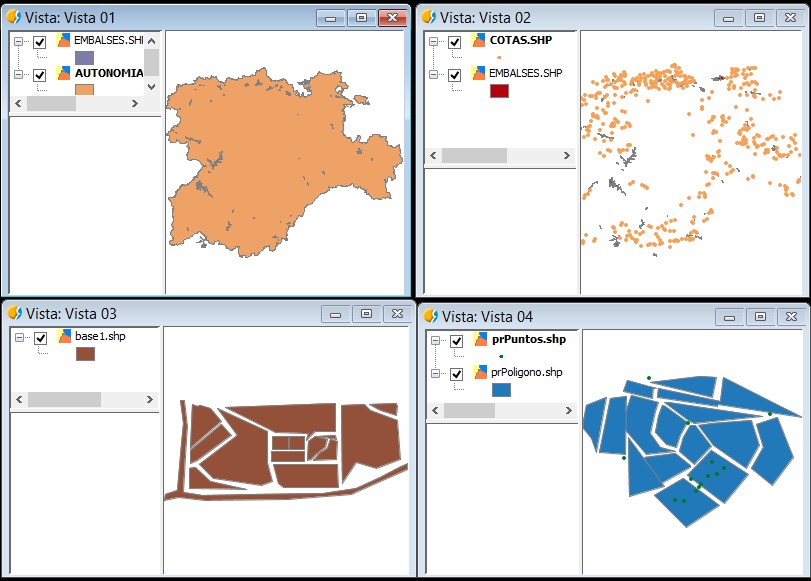
 Un script muy sencillo y que puede ser muy útil. Ejecutando el código nos recorrerá todo el proyecto que tengamos abierto, Vista a Vista, y hará un zoom o centrar vista a la primera capa que aparezca en cada una de ellas.
Así, de una tirada, podremos tener bien situadas todas las Vistas de un Proyecto.
from gvsig import *

def main():
    #Centrar todas las vistas de un proyecto
    #zoomViews.py / @masquesig

    views = currentProject().getViews()
    for view in views:
      vista = currentProject().getView(str(view))
      layer0 = vista.getLayers()[0]
      env = layer0.getFullEnvelope()
      centrarVistaEnv( vista, env)
      print vista.name," centrada en ", vista.getLayers()[0].name

def centrarVistaEnv(vista,env):
    vista.getMap().getViewPort().setEnvelope(env)
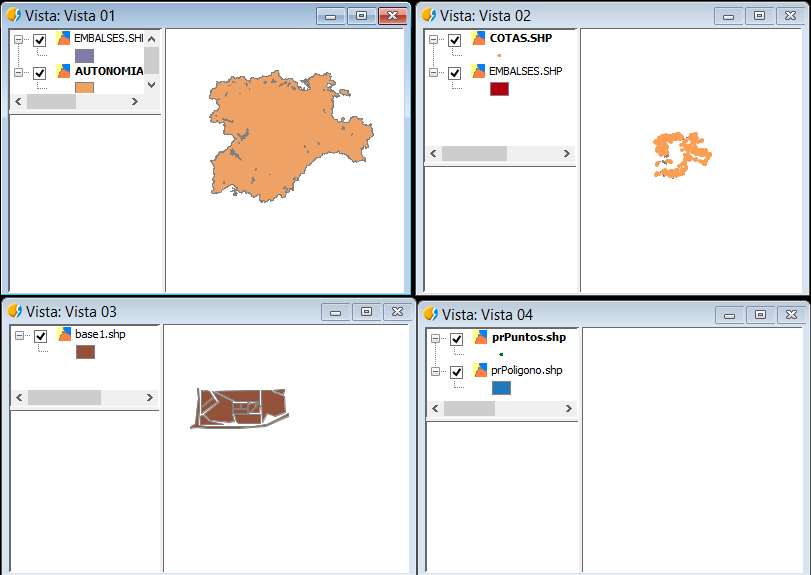
Inicial:
Final, después de ejecutarlo:
Si quieres realizar el zoom a la extensión total de las capas, en vez de a la primera capa, el código sería el siguiente:
from gvsig import *

def main():
    #Centrar todas las vistas de un proyecto
    #zoomViewsEnvelope.py / @masquesig

    views = currentProject().getViews()
    for view in views:
      vista = currentProject().getView(str(view))
      centrarEnvelope(vista)
      print vista.name," centrada."

def centrarEnvelope(vista):
    envelope = vista.getMap().getLayers().getMapContext().getFullEnvelope()
    vista.getMap().getLayers().getMapContext().zoomToEnvelope(envelope)
 másquesig